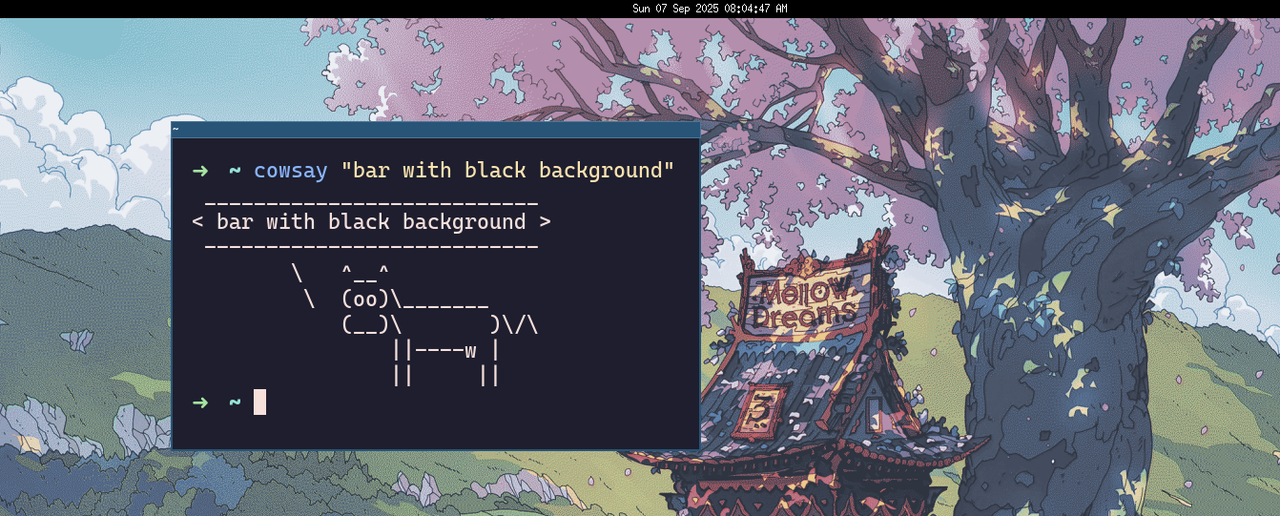
tutorial: write your own bar
in this blog post, we're going to be writing a simple X11 bar in C with xlib. by the end of this blog post you will understand the basics of xlib, ewmh, and have a cool minimal bar to play with.
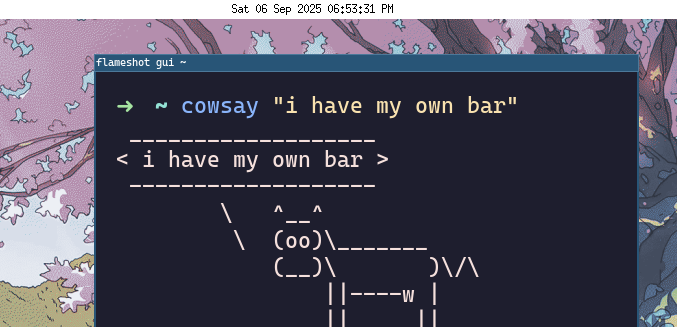
note: right now the bar only displays the current date and time.
full code: https://github.com/leanghok120/simplebar
assumptions
this blog post assumes you know the basics of C and the X windowing system.
creating a simple window
we'll start by creating our bar window:
#include <X11/Xlib.h>
#include <X11/Xatom.h>
#include <stdio.h>
#include <unistd.h>

int main() {
  // init
  Display *dpy = XOpenDisplay(NULL);
  if (dpy == NULL) {
    fprintf(stderr, "cant open display lol bozo");
    return 1;
  }
  int scr = DefaultScreen(dpy);
  int width = DisplayWidth(dpy, scr);
  int height = 20;

  // create the bar window
  Window bar = XCreateSimpleWindow(dpy, RootWindow(dpy, scr), 0, 0,
                                   width, height, 0,
                                   BlackPixel(dpy, scr), WhitePixel(dpy, scr));
  XStoreName(dpy, bar, "cool bar");

  // show the bar window
  XMapWindow(dpy, bar);
  XFlush(dpy);

  sleep(5);

  // clean up
  XDestroyWindow(dpy, bar);
  XCloseDisplay(dpy);

  return 0;
}
the program above should create a window with a width of your screen and a height of 20 but upon running the program you should see that the bar window is positioned like a normal window.
if you're using a tiling windows manager, you should see the bar window tiled like this:
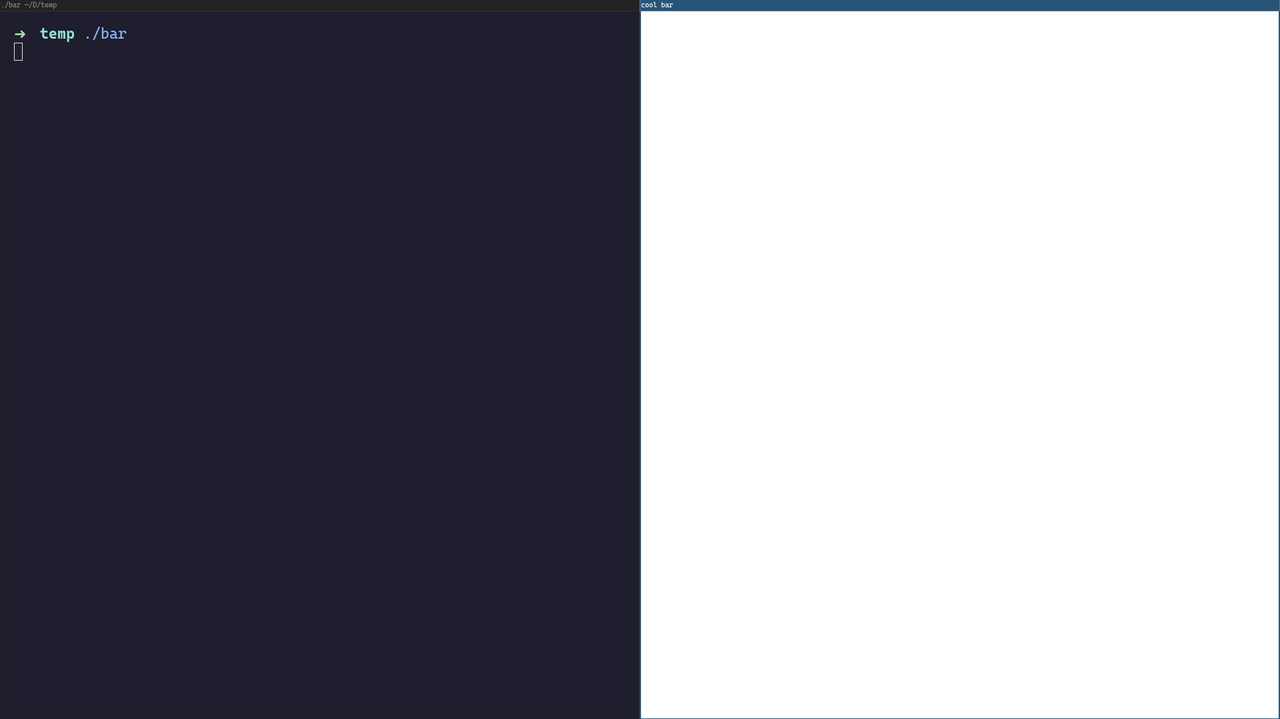
this happens because we haven't told the windows manager that our window is supposed to be a bar so our windows manager just treats it like a normal window.
setting ewmh atoms
in X11, EWMH is a standard that windows managers and other x11 apps use to communicate with each other. for example: by setting a value for these EWMH atoms, the windows manager will be able to know if your program is a normal window or a bar.
we can tell the windows manager that our window is a bar by setting a specific EWMH atom called _NET_WM_WINDOW_TYPE to _NET_WM_WINDOW_TYPE_DOCK like so:
  // create the bar window
  // ...

  // set bar windows type to dock
  Atom wm_window_type = XInternAtom(dpy, "_NET_WM_WINDOW_TYPE", False);
  Atom wm_window_type_dock = XInternAtom(dpy, "_NET_WM_WINDOW_TYPE_DOCK", False);
  XChangeProperty(dpy, bar, wm_window_type, XA_ATOM, 32, PropModeReplace, (unsigned char *)&wm_window_type_dock, 1);

  // show the bar window
  // ...
by doing this, your bar window becomes a dock and the windows manager will be able to position it like a dock (in most tiling windows manager, they just skip positioning dock windows)
when you compile and run the program, there should be a white window at the top of your screen.
adding texts
now that we have a blank bar, it's time to add in the information. we'll be adding in the current date and time.
believe it or not, this part is probably the most complex part of the tutorial because of how drawing texts works in xlib.
we'll start by loading the font in:
  // set bar windows type to dock
  // ...

  // add text
  Font font = XLoadFont(dpy, "fixed");
  GC gc = XCreateGC(dpy, bar, 0, NULL);
  XSetFont(dpy, gc, font);
  XSetForeground(dpy, gc, BlackPixel(dpy, scr));

  // ...
  // clean up
  XUnloadFont(dpy, font);
  XFreeGC(dpy, gc);
  XDestroyWindow(dpy, bar);
  XCloseDisplay(dpy);
now we will add "hello world" to our bar window by replacing:
sleep(5);
with:
  // show the bar window
  // ...

  // add text to the window
  while (1) {
    XDrawString(dpy, bar, gc, 15, 10, "hello world", 11);
    XFlush(dpy);
    sleep(1);
  }

  // ..
running the program, we should see a white window with a black text of "hello world".
let's replace "hello world" with the current date and time:
  // add text to the window
  char buf[64];
  while (1) {
    time_t now = time(NULL);
    strftime(buf, sizeof(buf), "%a %d %b %Y %I:%M:%S %p", localtime(&now));

    XClearWindow(dpy, bar); // avoid overlapping text
    XDrawString(dpy, bar, gc, 15, 10, buf, strlen(buf));
    XFlush(dpy);

    sleep(1);
  }
now when we run the program, we should see our bar with the current date and time.
making the bar a bit more beautiful
we can all agree that currently our bar looks like shit. we can try to fix this by centering the date and time.
in order to do this, we need to get the width of the date and time text and subtract it from our width and divide it by 2:
    // (in our loop)
    int text_width = XTextWidth(XQueryFont(dpy, font), buf, strlen(buf));
    int text_x = (width - text_width) / 2;
    int text_y = height - 6;

    XClearWindow(dpy, bar); // avoid overlapping text
    XDrawString(dpy, bar, gc, text_x, text_y, buf, strlen(buf));
    XFlush(dpy);
running the program, we should see our beautiful bar:
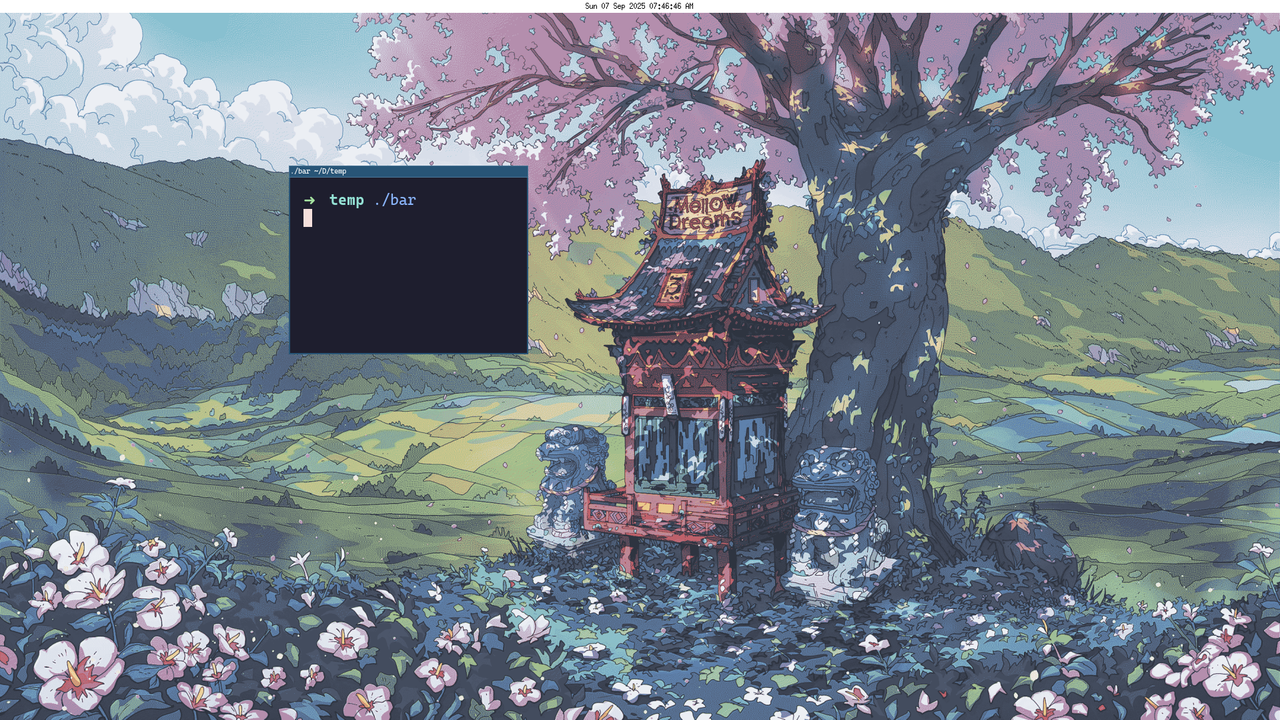
we now have a simple and minimal bar.
lastly
you might notice that the code in the repo contains a bit more lines than the code in this blog post, this is because the code in the repo also handles SIGINT and SIGTERM.
you might also notice that our bar has a slight delay where the current date and time shows up a second after the window is mapped. this is because we are just blindly drawing our text after every second. if we want the text to show up as soon as the window is mapped, we would need to also draw the text when our window receives an Expose event.
and that's pretty much it, we just built a minimal X11 bar in C. from here on out, you can expand it to show system stats, workspaces or make it look even better.